AI Video Editor — Edit Any Video with Text Prompts
Upload a clip, describe the change in plain words, and let our AI video editor handle the rest. Swap backgrounds, erase objects, restyle scenes, and add effects — all from one prompt box, powered by Seedance 2.0 and HappyHorse 1.0.
Sign in required to generate
Your edited video will appear here
Upload a source video, optionally add reference images, and describe the edit you want.
From Raw Clip to Polished Edit in Seconds
Watch how the AI video editor transforms an ordinary upload into a cinematic result using nothing more than a text prompt.
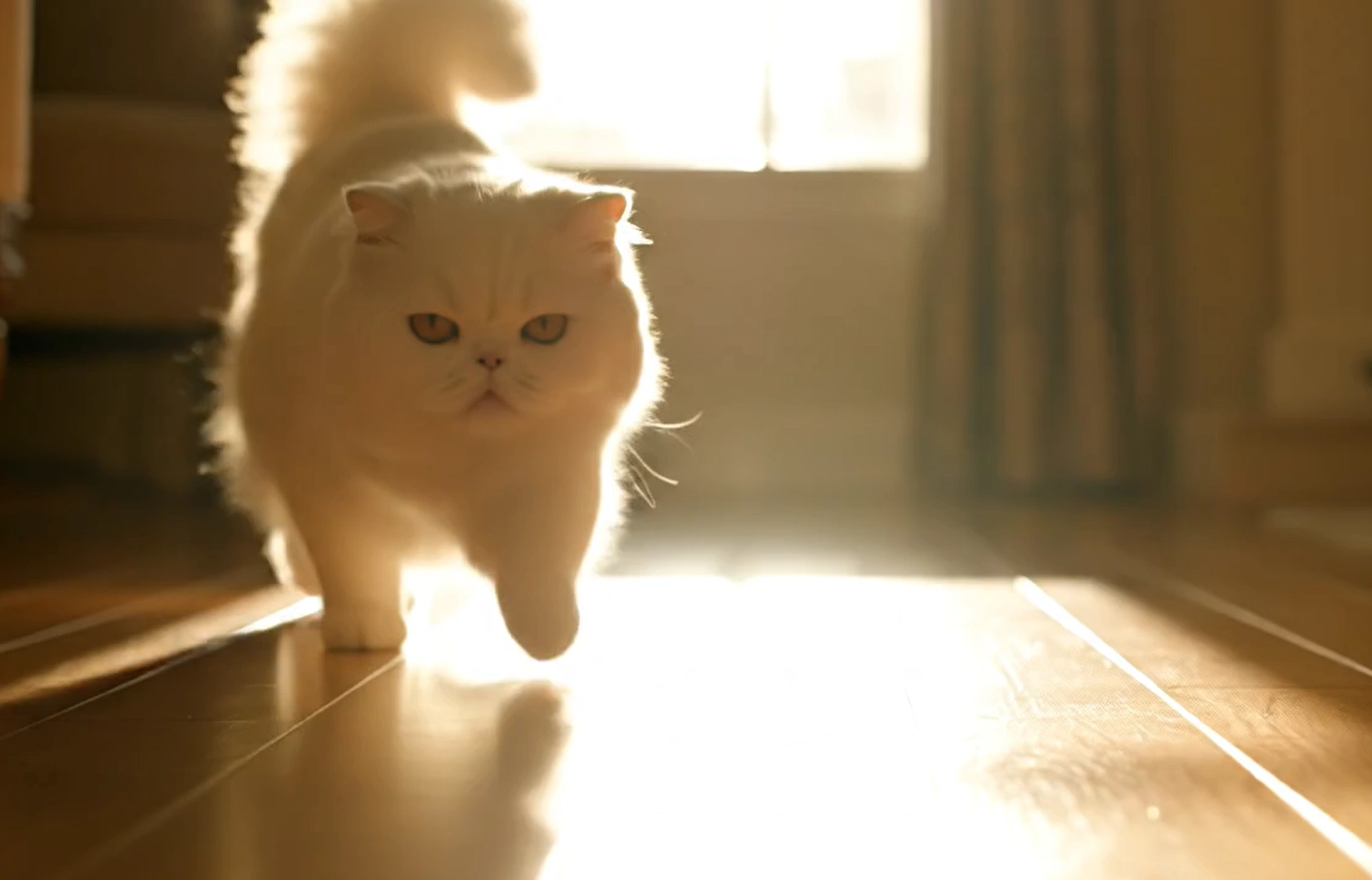
Reference Image
Reference Video
“Replace the wolf in the video with the cat in the image”
What Is an AI Video Editor?
An AI video editor is a new generation of editing tool that understands plain language — describe the change you want, and the AI re-renders your clip accordingly.
An AI video editor uses generative AI to modify existing video clips based on text instructions. Instead of keyframes, masks, and timelines, you simply tell the AI what to change — replace the background, remove an object, change the weather, or restyle the entire scene — and it produces a new version of your video that follows your description.
Prompt-Based Editing
Forget learning complex editing software. With our AI video editor, you describe the result you want in everyday language and the model re-renders the clip to match. If you can type it, the AI can edit it.
Two Powerful Models, One Workflow
Switch between Seedance 2.0 and HappyHorse 1.0 inside the same editor. Both models are tuned for video-to-video editing, so you can pick the one that best matches your style, resolution, and budget.
Why Creators Choose Our AI Video Editor
From content creators to marketing teams, here's what makes this AI video editor the fastest way to reimagine your footage.
Edit Without Editing Skills
No timelines, no layers, no learning curve. Our AI video editor replaces the entire traditional editing interface with a single text prompt. Describe the change, get the result — it's that simple.
One Prompt, Many Edits
Background replacement, object removal, style transfer, weather changes, time-of-day shifts — the AI video editor handles a huge range of transformations without switching tools. Everything lives in one prompt box.
Choose Your Preferred Model
Pick Seedance 2.0 for ultra-detailed cinematic edits or HappyHorse 1.0 for fast, high-quality results. The AI video editor lets you compare models side-by-side and choose the right one for each project.
Built for Modern Creators
Whether you produce for TikTok, YouTube Shorts, Instagram Reels, or brand campaigns, the AI video editor outputs vertical, square, and widescreen formats ready to publish — no re-exporting required.
Render in Minutes, Not Hours
Traditional effects work takes hours of compositing and rendering. The AI video editor delivers a fully re-rendered clip in just minutes, so you can iterate faster and ship more content.
How to Use the AI Video Editor
Edit any video in three simple steps — no editing software required.
Upload Your Clip
Select the video you want to edit. The AI video editor accepts short MP4 and MOV clips — perfect for social posts, ads, and creative experiments.
Describe the Edit
Type the change you want in plain language. 'Replace the background with a snowy mountain', 'remove the person on the left', 'turn the scene into rain at night' — the AI video editor understands detailed instructions.
Generate and Download
Pick a model, hit generate, and the AI video editor re-renders your clip in minutes. Preview the result and download the final video ready for any platform.
Pro Tip: The more specific your prompt, the better the edit. Mention lighting, mood, camera angle, and style — for example, 'replace the sky with a golden-hour sunset and add cinematic warmth'.
AI Video Editor Features
Everything you need to turn ordinary footage into polished, scroll-stopping video — powered by AI.
Prompt-Based Editing
The core of the AI video editor: type what you want changed and the model re-renders the clip to match. No keyframes, no masks, no manual compositing.
Dual-Model Engine
Switch between Seedance 2.0 and HappyHorse 1.0 to find the right look for each clip. The AI video editor routes your prompt to the model you choose, with transparent per-second credit pricing.
Background Replacement
Swap any background for anything you can describe — beaches, studios, city streets, fantasy worlds. The AI video editor preserves your subject while rebuilding the scene behind them.
Object & Person Removal
Erase unwanted objects, logos, or people from a clip with a single sentence. The AI video editor fills in the space intelligently, leaving no visible artifacts.
Style & Mood Transfer
Turn daytime into neon night, summer into snowstorm, or a clean vlog into a retro film look. Style transfer is one of the most popular uses for any AI video editor.
Fast, Flexible Output
Render at 480P, 720P, or 1080P in vertical, square, or widescreen aspect ratios. The AI video editor is built for the formats today's platforms actually use.
Who Uses the AI Video Editor?
A flexible AI video editor serves everyone from solo creators to enterprise teams — anywhere raw footage needs a fast, creative refresh.
Content Creators & Influencers
YouTubers, TikTokers, and Instagram creators use the AI video editor to remix clips, try viral visual trends, and post daily without burning out on editing.
Marketing & Ad Teams
Spin up multiple creative variations of the same product clip — different backgrounds, styles, and moods — without booking another shoot. The AI video editor turns one video into a full ad set.
Short Drama & Film Makers
Independent storytellers use the AI video editor to restyle scenes, extend locations, or fix footage that didn't come out the way they wanted on set.
Educators & Course Creators
Teachers and online instructors use the AI video editor to clean up lecture clips, swap backgrounds, and keep course visuals fresh across semesters.
E-commerce & Product Sellers
Showcase products against any backdrop — beach, studio, luxury interior — by uploading one clip and letting the AI video editor generate the rest of your catalog visuals.
Businesses & Brands
Internal teams use the AI video editor to refresh training videos, localize marketing content, and produce polished brand clips without an in-house editor.
Hobbyists & Casual Users
You don't need to be a pro. The AI video editor is just as good for fun experiments — turn your backyard into a sci-fi scene, your dog into a superhero, your commute into a car commercial.
Agencies & Freelancers
Service businesses use the AI video editor to deliver more iterations per client, test creative directions faster, and take on more projects without expanding headcount.
What Users Say About the AI Video Editor
Real feedback from creators, marketers, and businesses who replaced their old editing workflow with AI.
“The AI video editor cut my production time in half. I describe the change I want, hit generate, and the clip comes back exactly the way I pictured it. I'm posting twice as much content now.”
Marcus Lee
TikTok Creator, 480K followers
“We used to spend entire afternoons re-shooting product clips for different campaigns. With this AI video editor, one shoot becomes ten creatives. The background swap quality is genuinely impressive.”
Sofia Ramirez
Performance Marketing Lead
“Being able to switch between Seedance 2.0 and HappyHorse inside one editor is a huge plus. I compare both renders, pick the better one, and ship. No other AI video editor I've tried gives me that flexibility.”
David Chen
Independent Filmmaker
AI Video Editor FAQ
Everything you need to know about editing videos with AI using text prompts.