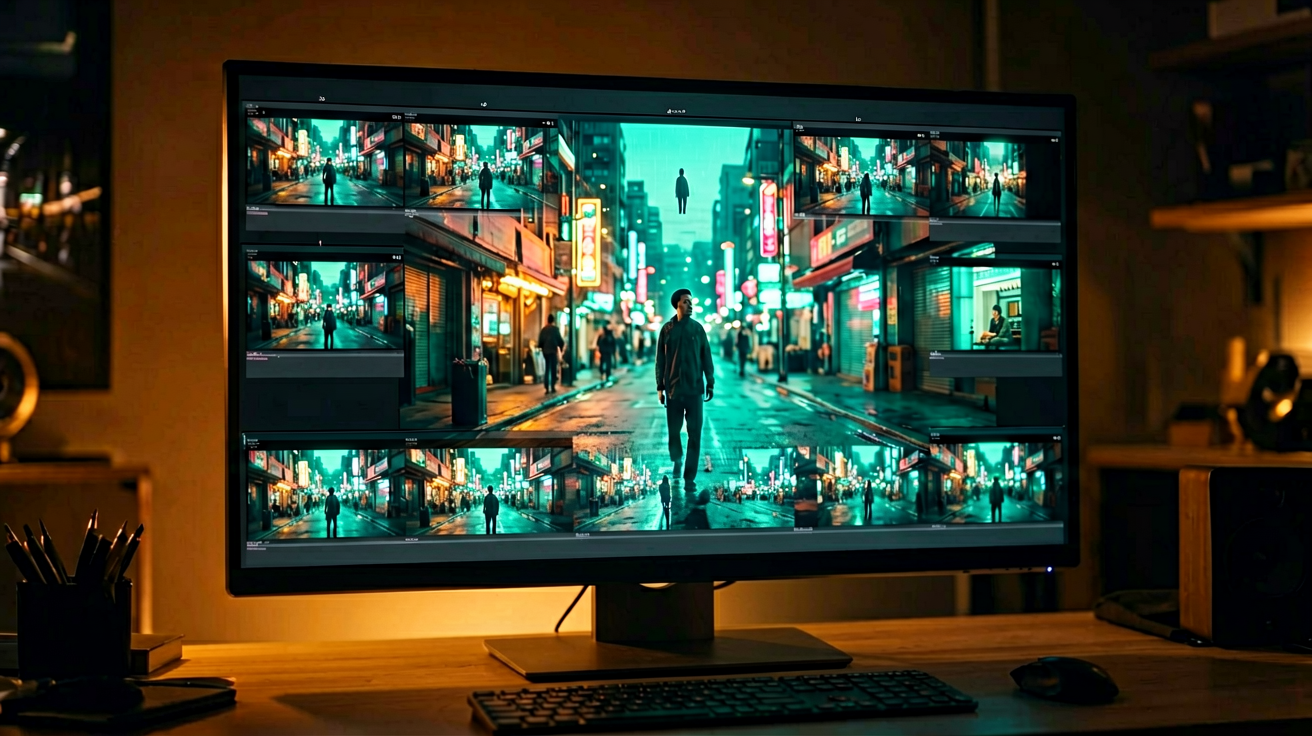
HappyHorse 1.0: The AI Video Generator That Beat Sora and Kling
HappyHorse 1.0: The AI Video Generator That Beat Sora and Kling
In April 2026, a mysterious AI video model appeared on the Artificial Analysis Video Arena—the industry's most respected blind-test leaderboard—and immediately claimed the #1 spot in both text-to-video and image-to-video worldwide. Days later, Alibaba revealed its identity: HappyHorse 1.0, a 15-billion-parameter multimodal video generation model developed by the ATH Innovation Business Unit.
What makes HappyHorse different from every other AI video tool? For starters, it generates synchronized video and audio—including speech, background music, and ambient noise—in a single pass. No post-production dubbing. No awkward lip-sync fixes. Just press generate and get a cinematic 1080p video with perfectly aligned sound.
This is the complete guide to HappyHorse: what it is, how to use it, and why it's being called the biggest leap in AI video generation since Sora.
What Is HappyHorse?
HappyHorse (officially known as "Kuai Le Xiao Ma") is a cutting-edge multimodal AI video generation model developed by Alibaba's ATH Innovation Business Unit (Taotian Future Lab). It integrates text-to-video, image-to-video, reference image-based generation, and natural language video editing into one unified tool.
Built on a massive 15-billion-parameter single-stream Transformer architecture with 40 layers, HappyHorse processes text, image, video, and audio tokens together in a single pipeline. This unified design is what enables its signature feature: native audio-visual synchronization. Unlike older tools that generate a silent video first and then layer sound on top, HappyHorse produces frames and audio simultaneously, ensuring perfect lip-sync and atmospheric consistency.
HappyHorse supports up to 15 seconds of multi-shot narrative, multiple aspect ratios, and 1080p high-definition output. It made history as the first model to top the Artificial Analysis blind-test rankings in both text-to-video and image-to-video, surpassing heavyweights like ByteDance's Seedance 2.0 and Kuaishou's Kling 3.0.
The project is led by Zhang Di, the former VP of Kuaishou and the technical lead behind the world-famous Kling AI—giving HappyHorse serious pedigree in the AI video space.
Why HappyHorse Went Viral Overnight
HappyHorse exploded onto the scene for several reasons:
It Beat Every Major Competitor
On the Artificial Analysis Video Arena—a blind human-preference voting system—HappyHorse ranked #1 worldwide, surpassing models like Sora 2 and Kling in both text-to-video and image-to-video performance.
The Kling Pedigree
The project is led by Zhang Di, the former VP of Kuaishou and the architect behind the viral Kling AI. This pedigree gave HappyHorse instant credibility among AI creators and filmmakers.
Cinema-Level Quality at Record Speed
HappyHorse delivers cinematic-grade motion, complex instruction following, and fast generation speeds. A 15-second 1080p video renders in under 40 seconds—roughly 2–3 times faster than mainstream AI video models, with 60% lower computing power consumption.
Key Features of HappyHorse
HappyHorse packs an impressive set of capabilities that set it apart from the competition:
Native Audio-Visual Sync
The standout feature. HappyHorse generates video frames and synchronized audio (dialogue, ambient sounds, music, Foley effects) in a single pass. Lip movements align perfectly with speech across seven languages, including English, Mandarin, Cantonese, Japanese, Korean, German, and French. No post-production dubbing required.
Cinema-Level Visual Quality
HappyHorse excels in medium and close-up shots with natural separation between characters and backgrounds, subtle light control, and emotional tension. It can accurately replicate styles like youth films, Hong Kong-style dramas, and film noir—achieving a sense of narrative rhythm rarely seen in AI-generated video.
Smooth Motion and Realistic Performance
Common AI flaws like foot sliding, floating limbs, or deformed hands are eliminated. HappyHorse accurately restores human gait, fabric movement, and even micro-expressions like surprise, avoidance, or a smile. Characters playing guitars show natural finger and hand movements with no deformities.
Deep Prompt Understanding
HappyHorse follows complex instructions regarding camera angles (e.g., "slow zoom," "dolly movement"), lighting setups, artistic styles, and emotional direction. The model excels with structured, director-style prompts rather than overly long prose.
Multi-Shot Narrative Ability
HappyHorse automatically arranges shots and transitions based on your text prompt, creating coherent 15-second stories with consistent characters, lighting, and atmosphere across cuts.
Natural Language Video Editing
Not satisfied with the result? Simply type a natural language command like "change the background to night" or upload a reference image to modify specific elements—no need to regenerate the entire video.
Multi-Modal Input
Start with just a sentence (text-to-video), use a reference photo to bring a specific character or product to life (image-to-video), or replicate a subject consistently across multiple reference images (reference-based generation).
| Feature | What It Does |
|---|---|
| Native Audio-Visual Generation | Produces video + synchronized audio (dialogue, music, SFX) in one pass |
| 7-Language Lip-Sync | Perfect lip alignment for English, Mandarin, Cantonese, Japanese, Korean, German, French |
| 1080p Cinema Quality | 15-second multi-shot narratives at high definition |
| Deep Prompt Adherence | Follows complex camera, lighting, and style instructions |
| Natural Language Editing | Modify videos with text commands without regenerating |
| Multiple Aspect Ratios | 16:9, 4:3, 3:4, 1:1, 9:16 |
How to Use HappyHorse (Step-by-Step Guide)
Getting started with HappyHorse is straightforward, even for beginners:
Step 1: Access the Platform
HappyHorse is available through multiple platforms:
- Official website (happyhorse.app): Free daily credits, paid plans available
- Qianwen App (Alipay): 10 free daily uses
- Alibaba Cloud Bailian Platform: For developers and API access
- fal.ai: API integration for developers
- Third-party tools: Media.io, Dzine, PixVerse, and other hosted platforms integrate the model
New users typically receive 66 free credits upon registration.
Step 2: Choose a Generation Mode
HappyHorse offers three core modes:
- Text-to-Video: Create videos from pure text prompts—zero threshold for beginners
- Image-to-Video: Upload a reference image and add optional text for motion guidance
- Reference Image Generation: Use multiple reference images to replicate a subject consistently (ideal for e-commerce products or IP characters)
Step 3: Write Your Prompt
For best results, structure your prompt using this formula:
[Subject] + [Action] + [Setting] + [Camera/Lighting/Mood]
You can also select style tags like TVB Hong Kong style, ancient Chinese style, retro film, or clay stop-motion.
Step 4: Configure Parameters
- Aspect ratio: 16:9, 4:3, 3:4, 1:1, or 9:16
- Duration: 3–15 seconds
- Resolution: Enable 1080p super-resolution output
- Audio: Enable audio-visual synchronization if needed
Step 5: Generate and Edit
A 15-second video takes less than 40 seconds to generate. Preview the result, and if needed, use natural language to edit (e.g., "change the background to a forest") or replace specific elements with reference images.
Example Prompts for HappyHorse
Product Showcase:
A luxury chronograph watch sits on a slab of dark volcanic stone.
Water droplets fall in slow motion onto the sapphire crystal,
each impact sending tiny ripples. Cinematic close-up,
dramatic lighting, shallow depth of field.
Narrative Scene:
A young woman in a red coat walks slowly through a rain-soaked
Tokyo street at night, neon signs reflecting in puddles.
Slow deliberate pace, cinematic wide shot turning to medium,
film noir atmosphere, ambient rain sounds.
Everyday Cinematic:
A barista in a cozy coffee shop slides a perfectly layered
oat milk latte across a wooden counter. Warm morning light
from the window, gentle steam rising, medium shot with
smooth camera pan.
HappyHorse vs Traditional Video Production
Before HappyHorse, creating professional short video content meant navigating a gauntlet of pain points:
The Cost Problem
Hiring a videographer, editor, and voice actor could cost thousands of dollars for a single 15-second clip. Professional equipment—cameras, lighting, microphones—adds further expense. HappyHorse produces comparable quality for a fraction of the cost.
The Time Problem
Traditional video production takes days or weeks from script to final cut. Batch content production is nearly impossible for small teams. HappyHorse generates a 15-second video in under 40 seconds.
The Skill Barrier
Tools like Premiere Pro and DaVinci Resolve have steep learning curves. Beginners struggle to achieve professional results. HappyHorse requires zero editing skills—just describe what you want.
The Audio Sync Nightmare
Manually syncing AI voices to video footage often looks uncanny and fake, hurting viewer trust and engagement metrics like dwell time. HappyHorse solves this with native synchronized audio that looks and sounds natural.
The Flexibility Problem
Changing scenes, styles, or characters in traditional production requires re-shooting—costly and time-consuming. With HappyHorse, you simply type a new instruction.
HappyHorse Pricing and Plans
HappyHorse offers flexible pricing to suit different needs:
Free Tier
- Daily free uses via Qianwen App (10 per day)
- New user bonus: 66 free credits
- Includes watermarks, no 1080p output
- Limited to 2 concurrent tasks
Standard Membership
- Approximately ¥70/month
- 10 concurrent tasks
- 1080p output, watermark removal, batch generation
Professional Membership
- Approximately ¥245/month
- Unlimited concurrent tasks, priority queues
- Lowest per-second cost (~¥0.78 per second for 1080p video)
- Best for heavy content producers
API Access
- Available through fal.ai and Alibaba Cloud
- Pay-per-generation pricing
- Ideal for developers building apps
Real User Reviews of HappyHorse
What Creators Are Saying
- "The lip-sync is night and day compared to older models" — Content creators praising the native audio-visual generation
- "It actually understands cinematic lighting without me having to be an expert" — Beginners impressed by prompt adherence
- "The reference image mode is a game-changer. I can batch produce product videos with consistent branding, cutting shooting costs by 70%" — E-commerce merchants
- "Generating a 10-second video in 30 seconds saves me hours of work every day" — Social media managers
- "The multi-language lip sync is accurate, allowing us to localize content for overseas markets quickly" — Marketing teams
Common Criticisms
- Long video limitations: Videos longer than 10 seconds occasionally show physical bugs (objects moving without external force). The 15-second ceiling is restrictive for longer narratives.
- Instrument scenes: Musical instrument performances sometimes show mismatches between hand movements and audio. Daily scenes work fine.
- AI artifacts: Some outputs still have an "AI look" with glitches, color jumps, or fake text rendering.
- Detail imperfections: Small details like ID photos or text on props can be blurry or incorrect.
- Not fully open-source: While initially announced as open-source, access is currently through hosted platforms and APIs.
Overall Sentiment
User feedback is overwhelmingly positive, with many giving 4.5+ ratings in early reviews. Most creators call HappyHorse a genuine game-changer for rapid content production.
Who Should Use HappyHorse?
HappyHorse is versatile enough for a wide range of users:
Content Creators and Influencers
Generate YouTube Shorts, TikTok videos, and Instagram Reels with cinematic quality and multi-style features to match your personal brand.
E-Commerce Merchants
Batch-produce product showcase videos with consistent branding. Turn static product photos into dynamic 360-degree lifestyle videos using the reference image mode.
Marketers and Advertisers
Create professional ads, brand stories, and seeding videos with cinema-level quality. Localize content for global markets using the 7-language lip-sync support.
Filmmakers and Storytellers
Use HappyHorse for pre-visualization—testing how a scene might look before spending money on a real shoot. Create multi-shot storyboards and narrative sequences.
Educators and Trainers
Generate educational short videos, tutorial clips, and training materials to enhance learning engagement without filming equipment.
Small Businesses and Startups
Create low-cost, high-quality marketing videos without hiring professional teams. Perfect for social media campaigns and product demos.
Developers
Integrate HappyHorse via API into your applications, automated workflows, or SaaS products.
HappyHorse FAQ
Is HappyHorse free?
Yes, HappyHorse offers free daily credits through the Qianwen App (10 free generations per day) and free trials on the official website. Paid memberships unlock 1080p output, watermark removal, batch generation, and priority queues.
How long are HappyHorse videos?
HappyHorse generates videos from 3 to 15 seconds per clip—perfect for social media, Reels, TikTok, and short-form advertising.
Does HappyHorse support audio?
Yes. HappyHorse generates native synchronized audio including dialogue, ambient sounds, Foley effects, and lip-sync in 7 languages—all in a single generation pass.
Can I edit HappyHorse videos after generation?
Yes. HappyHorse supports natural language editing (e.g., "change the background to night") and reference image editing to replace specific elements without regenerating the entire video.
Is HappyHorse open-source?
While initially announced as open-source (based on the daVinci-MagiHuman project), HappyHorse is currently moving toward a closed-source, commercialized model through Alibaba. Access is primarily through hosted platforms and APIs.
What languages does HappyHorse support for lip-sync?
HappyHorse supports precise lip synchronization in 7 languages: English, Mandarin, Cantonese, Japanese, Korean, German, and French—ideal for cross-border content creation.
Can I use HappyHorse for commercial purposes?
Yes. Paid members can use generated videos for commercial purposes (advertising, e-commerce, marketing) without additional fees. The free version includes a watermark and is for non-commercial use only.
How fast is HappyHorse?
A 15-second 1080p video generates in under 40 seconds. HappyHorse is approximately 2–3 times faster than mainstream AI video models, with 60% lower computing power consumption.
What's the difference between HappyHorse free and paid plans?
The free version offers daily uses with watermarks, no 1080p output, and limited concurrent tasks. Standard membership (¥70/month) adds 1080p, watermark removal, and batch generation. Professional membership (¥245/month) offers unlimited tasks and priority queues.
The Bottom Line
HappyHorse is not just another AI video tool—it represents a genuine leap forward in making professional video creation fast, affordable, and accessible. By generating synchronized video and audio in a single pass, delivering cinema-level 1080p quality, and supporting 7-language lip-sync, HappyHorse has earned its position at the top of the global AI video rankings.
Whether you're a content creator needing viral social clips, an e-commerce merchant wanting product videos at scale, a marketer localizing campaigns for global audiences, or a filmmaker testing pre-visualization—HappyHorse delivers results that were previously impossible without a full production team.
The barrier to professional video creation has never been lower. The question isn't whether to try HappyHorse—it's what you'll create with it.
Explore More AI Tools
- AI Image Generator – Text to image
- AI Image Editor – Modify images with AI
- AI Video Generator – Create AI videos from text and images
- AI Background Remover – One-click background removal